Manufacturing Recipe context
The manufacturing contextthat makes separate files one process
Machine Setup connects coordinates and tools with fixtures, reference pins, and setup references in the same process context.
WCSINDEXToolFixtureReference PinPad / Setup Reference
Product / ItemLineProcess GroupOperationFeatureMachine SetupG-code / Measurement / Work Standard
Active development / PoC
01 — Understand Existing NC
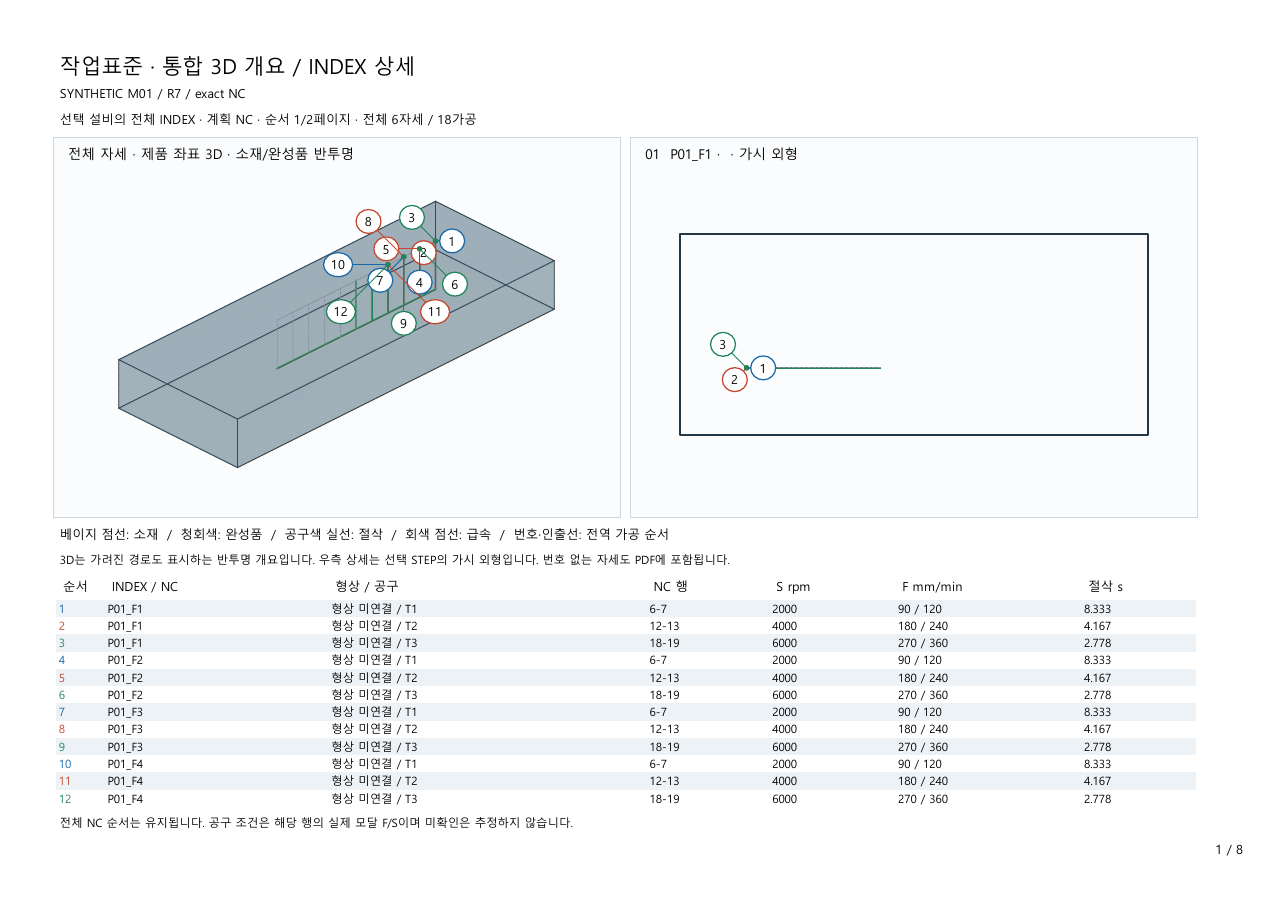
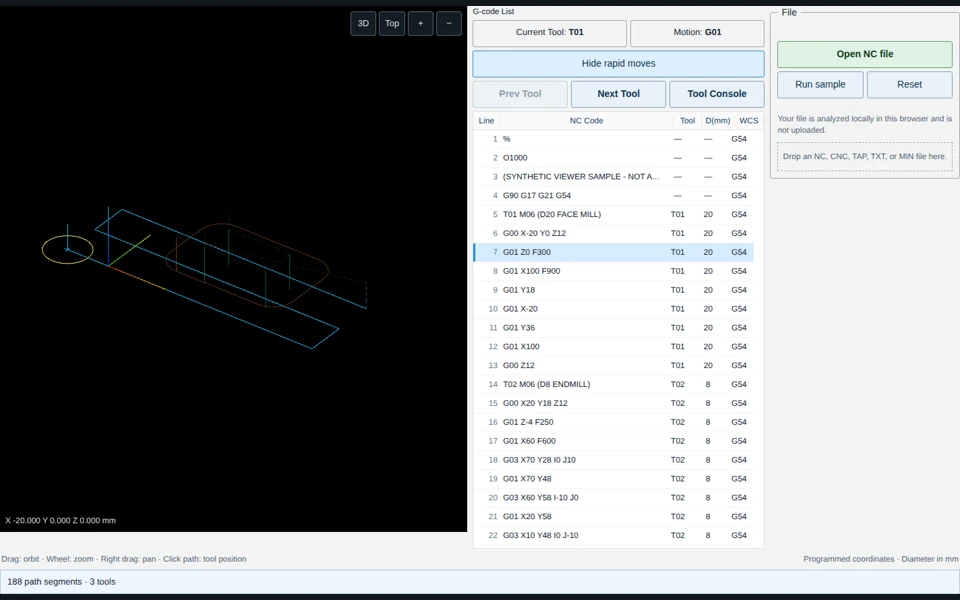
Analyze tool changes, WCS, INDEX, cycles, coordinate motion, repeated geometry, and CAD features in unmanaged G-code. Results begin as INFERRED and become CONFIRMED only through user review.
- Legacy / unmanaged G-code
- probable Operation / Feature
- Code Block boundary
- Tool / WCS / INDEX context
- INFERRED → USER CONFIRMED
Source-level validated baseline
02 — Manufacturing Recipe
Store the machining plan as a product, process-group, and operation Recipe—not a loose file list. Paths, shared holes, machining operations, temporary G-code, unit-process code blocks, final order, and final assembled G-code share one structure.
- Product → Process Group → Operation
- Path / Shared Hole / Machining Operation
- Unit-process Code Block
- Final Block Order
- Final Assembled G-code
Source-level validated baseline
03 — Generate & Assemble
Create machining units from features and assemble multiple unit processes into one final NC program. Complex freeform toolpaths remain within specialist CAM.
- HOLE GROUP → Drill Block → Tap Block
- FACE A → Milling Block
- BORE B → Rough Block → Finish Block
- OP20 → FINAL NC
Source-level validated
04 — Block Boundary Safety Contract
Code blocks are checked for machine-state continuity before final NC assembly. Under a fail-closed rule, UNKNOWN or UNSAFE state blocks assembly and requires review.
- distance mode / plane / unit / WCS
- cutter and tool-length compensation
- cycle / spindle / coolant / tool state
- Safe-Z / INDEX / unsupported stateful code
- PASS → Assemble
- UNKNOWN / UNSAFE → Block assembly → Review required
Active development / PoC
05 — Measurement / Compensation
Return measurement to the relevant feature and process as a correction target. The current scope is correction targets and operator guidance—not completed machine-side autonomous correction.
- Measurement → Coordinate Mapping
- ΔX / ΔY / ΔZ / Δθ
- Correction Solver
- Target Feature / NC / Setup
- future machine adapter
Active development / PoC
06 — Managed G-code Metadata
Carry item, line, and process context in a Managed Metadata Comment Block so another PC can recover the original machining context. Managed content is replaced or refreshed on export rather than appended repeatedly.
- Required: Item / Product, Line, Process
- Optional: Operation, Feature, Code Block, Recipe revision
- Preserve user comments
- Distinguish managed comments
- Replace / Refresh; keep one metadata block
Active development / PoC
07 — Air-gapped / USB Operation
Local execution remains available where a central server or NAS cannot be connected. USB is treated as an approved transfer boundary that verifies version, source, and integrity—not as blind file copy.
- version / revision / hash / manifest
- signed or approved package / source identity
- same → no update
- newer → safe update
- divergent → conflict review
- applied revision / rollback history
Modular adapter direction
Machine Connectivity
Direct machine connection is not a starting requirement. Begin with local data and estimated state, then add a dedicated adapter where needed.
- Base: Central / Local Estimated State
- Optional future adapter
- Verified Machine State
- FOCAS / OPC UA / MTConnect / FTP-DNC / RS-232-custom examples only
Prototype
Work Standard from the Recipe
Turn tool, INDEX, feature, machining order, and review points from the same Manufacturing Recipe into the field work standard.
- Recipe → NC
- Recipe → Measurement Context
- Recipe → Work Standard
Deployment scope
This does not replace specialist CAM. The Safety Contract is a deterministic source-level check, not CNC safety certification. G-code inference, managed metadata, USB synchronization, CMM integration, and machine-side autonomous correction remain development and PoC scope.